Storage Control for Android: fast storage analysis and cleanup
Storage Control scans internal storage, maps usage by category, and lists the largest files for targeted deletion and media management. Developed by Flying Up Dragon Trading Co. Limited for Android, the app packages analysis, junk cleanup, and media inspection into a lightweight tool. It highlights large files, inspects photos and videos, and flags temporary items, making it suitable for Android owners who want a simple way to reclaim space without navigating complex menus.
What Storage Control actually does to your device storage
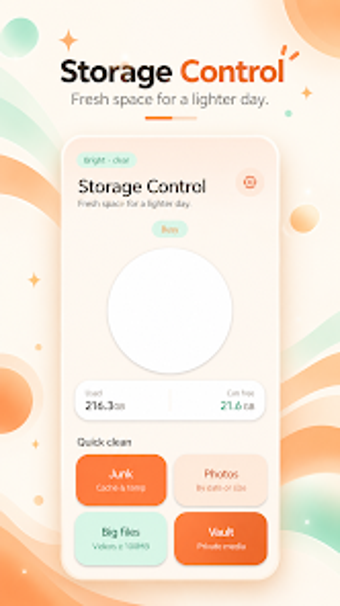
Storage Control runs a storage analysis that visualizes how space is used across categories and automatically detects the largest files on the device. The app specifically examines media folders, listing photos and videos for review, and identifies temporary or junk files that it marks for removal. The visible output is a ranked file list and category map, which lets the user select items for deletion or management.
How it affects system resources while it runs
The installer is approximately 28 MB, which keeps the app's own footprint small compared with many utilities. The listing of that APK size implies the tool is lightweight on-device; scans are local and intended for everyday phones. The design suggests scans run in foreground when invoked rather than persistent background indexing, which limits continuous CPU and RAM consumption during normal device use.
Is Storage Control safe with user data and deletions
The Google Play safety declaration for the app states it does not share data with third parties, and it collects device identifiers and media metadata to perform analysis. File deletion and management occur on-device through the app's controls; the privacy note limits external sharing, which reduces risk of off-device exposure when you use the cleanup tools.
Who can operate the app and how complex is the interface
The app presents a straightforward design aimed at users who want minimal configuration. It arranges analysis results into visual categories and a largest-file list that lets users pick items to remove, which keeps technical steps to a minimum. The focus on simple selection and media inspection means casual users can operate it without advanced knowledge, while power users will find the lack of deeper forensic modes limiting.
A compact utility for routine storage maintenance, best for basic cleanups
Storage Control suits Android users who need quick visibility into what is occupying their storage and want a small-footprint app to remove large or redundant media files. Given its recent release and modest feature scope, use it for regular housekeeping and run a manual review before mass deletions. Recommended.